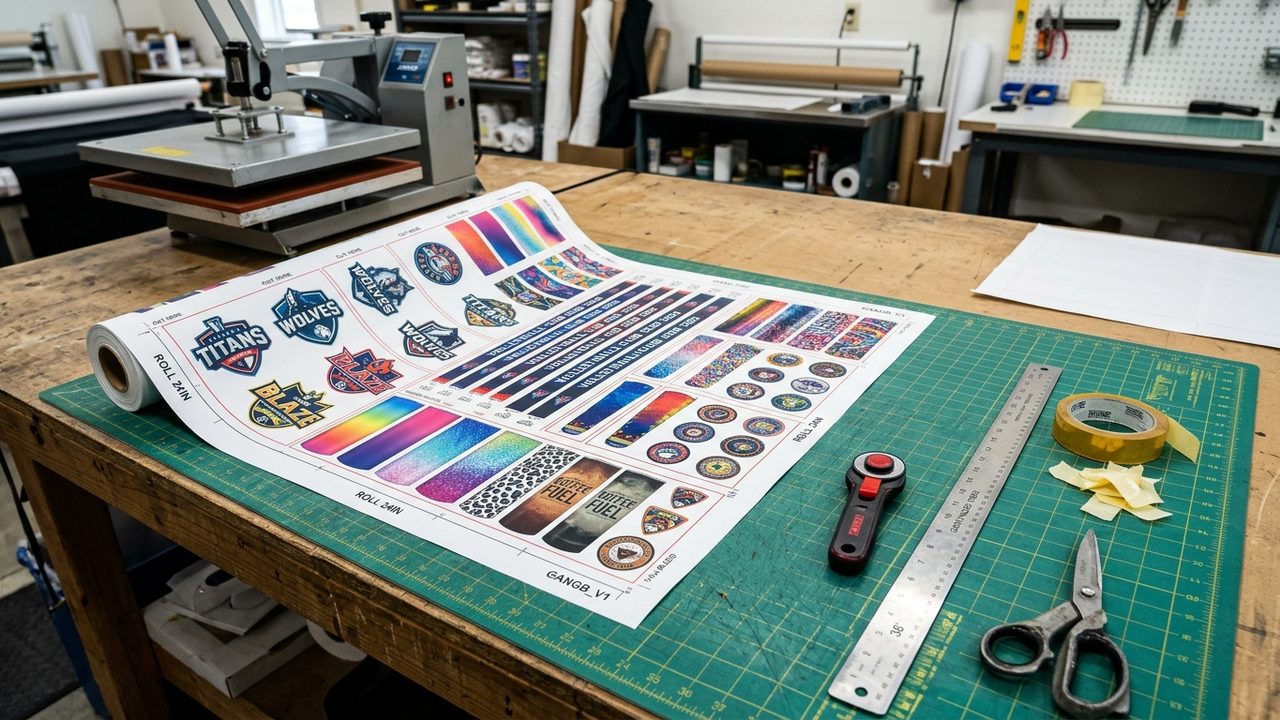
Gang sheet automation is often discussed in the context of Direct-to-Film (DTF) printing, but wide-format dye-sublimation print shops face the exact same prepress bottleneck. Whether you run an Epson SureColor F-Series, a Mimaki TS series, a Mutoh, or a Sawgrass system, empty white space on a sublimation transfer roll is wasted paper and wasted rotary calendar time.
When wholesale buyers, craft businesses, or local sports leagues order custom sublimation transfers by the foot on Shopify, they rarely send a pre-nested roll. Instead, they send a folder of 20 oz skinny tumbler wraps, round car coaster graphics, lanyard strips, and jersey crests. Adding a sublimation gang sheet builder to your Shopify store puts that layout work in the customer's browser and hands your RIP a finished 300 DPI roll.
How sublimation gang sheets work on Shopify
With Pro Transfers Builder by Formulated Apps, you create a Shopify product for your sublimation transfers and define your roll width and length variants. Common setups across Canadian and US sublimation shops include:
1. Desktop and small-format sublimation sheets: 8.5 by 14 inch, 11 by 17 inch, and 13 by 19 inch sheets for mugs, mousepads, and patches.
2. Mid-width commercial sublimation rolls: 22-inch and 24-inch wide rolls (sold in lengths from 24 inches up to 240 inches) for tumbler wraps, tote bags, socks, and chest logos.
3. Wide-format sportswear and textile rolls: 44-inch and 60-inch wide rolls for hockey jerseys, lacrosse uniforms, flags, and cut-and-sew polyester apparel.
See the 3-step Shopify gang sheet workflow from upload to RIP hot folder
4 rules for clean sublimation gang sheet production
To keep sublimation rolls moving from Shopify checkout to your rotary heat press or flat press without reprints, configure these four rules in your workflow:
1. Keep customer proofs right-reading and mirror in the RIP: Asking retail customers to mirror their own text before uploading leads to backwards prints half the time. Let customers build their sublimation gang sheet right-reading in Pro Transfers Builder, and leave the Mirror Image checkbox enabled in your RIP default queue.
2. Enforce 300 DPI at actual print size: Sublimation ink gases directly into polyester fibers or polymer coatings, which makes low-resolution JPEG compression artifacts stand out sharply on glossy mugs and tumblers. Pro Transfers Builder checks pixel density on upload and warns customers immediately if a graphic drops below 300 DPI when scaled up.
3. Set a 0.25-inch to 0.375-inch cut margin for hand trimming: Because sublimation inks can gas out slightly during high-temperature pressing (385°F to 400°F), packing designs too close together makes scissor or rotary-blade trimming risky. Set your Auto-Build gap to at least 0.25 inches so operators can slice between transfers cleanly without ghosting.
4. Standardize on 300 DPI sRGB PNG exports into your RIP hot folder: Pro Transfers Builder exports a calibrated 300 DPI PNG directly into your Google Drive or Dropbox folder. Your RIP software applies your specific sublimation paper and ink ICC profile at output.
Running both Sublimation and DTF on the same Shopify store
Many modern transfer shops offer both DTF transfers (for cotton, blends, nylon, and dark garments) and sublimation transfers (for white polyester sportswear and hard blanks like ceramic mugs and aluminum panels). Pro Transfers Builder lets you power both product lines with one Shopify app, one cloud sync pipeline, and zero monthly subscription fees.
Install Pro Transfers Builder free on the Shopify App Store
Frequently Asked Questions
What is a sublimation gang sheet?
A sublimation gang sheet is a single roll or sheet of dye-sublimation transfer paper that combines multiple graphics (such as tumbler wraps, mug panels, patches, and jersey crests) so a print shop can print and press many items from one paper run.
What roll sizes does Pro Transfers Builder support for sublimation on Shopify?
Print shops can configure any custom roll width and sheet length on Shopify, including standard 8.5x11 inch and 13x19 inch cut sheets as well as 22-inch, 24-inch, 36-inch, 44-inch, and 60-inch wide-format sublimation rolls up to 240 inches long.
Should customers mirror their artwork inside the sublimation gang sheet builder?
No. Customers should upload and read their text normally (right-reading) in the browser builder so they can proof spelling and layout accurately. Your RIP software (Epson Edge, Sawgrass, Ergosoft, Wasatch, or CADlink) handles the horizontal mirror flip automatically when outputting to the sublimation printer.
How much transfer paper does true-shape auto-nesting save on sublimation rolls?
True-shape polygon nesting packs irregular graphics (like jersey numbers, circle coasters, and mascot logos) around their actual contours rather than rectangular bounding boxes, typically saving 18 to 24 percent of sublimation paper per roll.