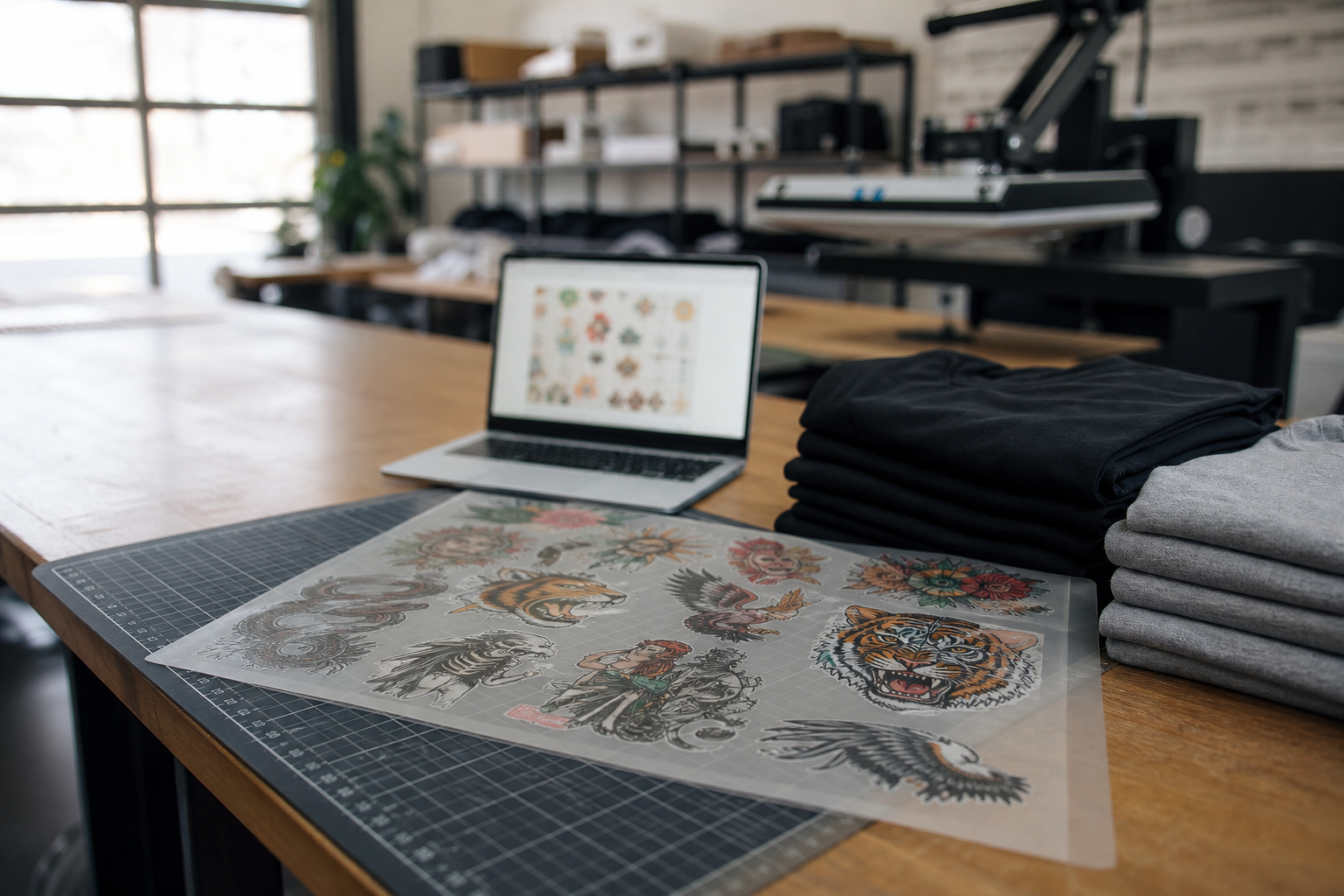
If your Shopify store sells DTF transfers, an auto gang sheet builder belongs on the product page, not in a staff-only desktop app. Customers upload art, nest sizes, and approve the sheet before they pay. Your team opens the order and gets a print-ready file instead of rebuilding layouts from email attachments.
Pro Transfers Builder is the Formulated Apps Shopify app built for that job. This guide covers when auto nesting helps, what to put on the storefront, and how to install without creating a new mess for production.
Install Pro Transfers Builder on the Shopify App Store
What is an auto gang sheet builder on Shopify?
An auto gang sheet builder is storefront software that places customer designs onto a transfer sheet using nesting rules: sheet width, margins, counts, and spacing. On Shopify, it should live inside the product and checkout flow so the finished sheet stays tied to the line item.
That is different from a standalone layout tool. A canvas that emails a PDF still forces someone to match files to orders. A Shopify gang sheet app keeps upload, nest, approval, and export on the same order record.
Why customers should nest the sheet, not your staff
Staff nesting every order caps daily output. One person can keep up at ten sheets a day. At fifty, they start guessing sizes, skipping DPI checks, and missing duplicate counts. When the customer builds the sheet, they own the placement decision before checkout.
Auto nesting removes the drag-and-drop grind. The customer still confirms print size and count. Your operator still rejects bad art. The difference is who spends twenty minutes packing the sheet: the buyer, or the person who should be checking powder cure and press schedule.
Where gang sheet automation helps (and where it should not)
What Pro Transfers Builder does on your store
Pro Transfers Builder (also called DTF Transfers Builder) drops into Shopify product pages so buyers can upload artwork, set sizes, and auto-build a gang sheet before they buy. Nesting targets real sheet sizes. Low-resolution warnings catch soft files early. Finished sheets stay linked to the Shopify order so production is not hunting through Drive folders.
Formulated Apps built the app for shops that sell transfers as a product, not as a side favor. If your store already takes custom uploads by email, you already have the demand. The missing piece is a builder that turns those uploads into nest-ready sheets without a second layout pass.
See Pro Transfers Builder features
Storefront checklist before you go live
Install the app, then configure the product page like a prepress brief customers can follow without calling you.
1. Pick default sheet sizes that match your printer
Offer the widths you actually print. Extra sheet options that your press cannot run create refunds. One or two defaults cover most shops. Document max length so long nests do not surprise the RIP.
2. Publish plain file rules on the product
Ask for transparent PNG or clean TIFF at 300 DPI for the final print size. Ban screenshots. Show an example of a rejected upload. Rules reduce support tickets more than any marketing copy on the same page.
3. Require a visible approval step
Customers should see size, count, and sheet preview before checkout. That preview is your proof. When someone claims they ordered a 12 inch logo and received a 3 inch logo, you both look at the same approved sheet.
4. Keep exports on the Shopify order
Production should open the order and download the print-ready gang sheet. No renamed Dropbox files. No "final_v3_USE_THIS" attachments. Order-linked exports are how Shopify gang sheet apps stop reprint arguments.
Shopify customer upload gang sheets: what to automate
When auto nesting is the right fit
Use auto nesting for repeat counts, left-chest logos, name lists with consistent sizes, and mixed small designs that share the same sheet width. It pays off when layout time is the bottleneck, not when every job is a one-off fashion placement with custom rotation notes.
Keep human review for low DPI art, thin text that will fail after wash, copyright questions, and rush jobs with odd garment placements. Software should pack the sheet. Staff should protect the press day.
Gang sheet nesting tips to reduce film waste
How this compares to building sheets by hand
Manual layout in Illustrator or a free web nest tool can look finer for a single complex sheet. It does not scale when twenty customers checkout while you are powdering another run. The Shopify auto gang sheet builder wins on speed, order traceability, and customer self-service. Hand layout still wins for rare art that needs a human eye on every millimeter.
Most shops should default to auto build on the storefront and reserve manual rebuilds for exceptions. If every order is an exception, your product rules are too loose.
What to compare in gang sheet builder software
Pair the builder with a transfer workflow you trust
If you print in-house, export straight to your RIP after staff approval. If you outsource film, send clean nested sheets to a supplier that understands DTF gang sheets. Formulated Prints is the store workflow Formulated Apps uses to test that path: customer builds the sheet, order stays clear, production gets a file that matches the checkout.
Try the Formulated Prints custom DTF gang sheet flow
Install path that actually sticks
Install Pro Transfers Builder from the Shopify App Store, add the builder block to your gang sheet product in the theme editor, set sheet sizes and file rules, then run three test orders: one clean logo nest, one low-DPI reject, and one reorder of a prior sheet. Train one staff member on approve, reject, and export before you announce the product to customers.
Pricing starts with a free install path on Shopify so you can validate the workflow before you push volume. Use the test orders to measure prep time against your old email-and-rebuild process. If staff still rebuild every sheet after install, the app is not the problem. The handoff rules are.
Review Pro Transfers Builder pricing
Who should install this week
Install an auto gang sheet builder on Shopify if you sell custom DTF or UV DTF sheets, take customer uploads, and spend more time nesting than printing. Skip it only if every job is fully staff-designed and never touches a self-serve product page.
Next step: install Pro Transfers Builder, put the builder on one gang sheet product, and process a real test order end to end. When that order opens with the right nested file attached, you know the storefront is doing production work instead of creating it.